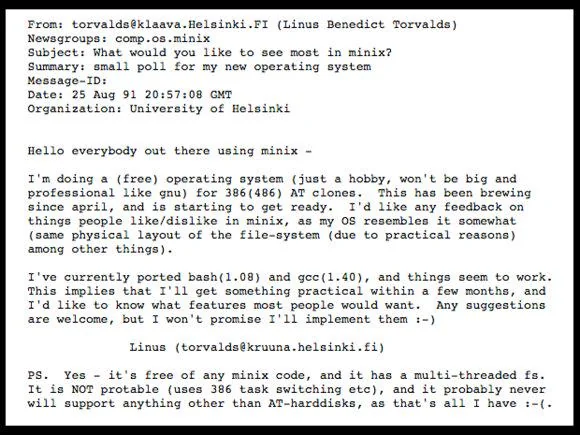
 Were you one of the people excited about Linux when it came out in 1991? Not quite that old? (Ok 50-ish isn’t old) Most who know Linux are younger than that, which means that you’re probably part of the generation who hasn’t done that much technically-wise, or you’re a techie who has dealt with Windows shenanigans.
Despite beginner-friendly distros like Pop_OS! having (once again) a bad rep, there’s only 2 Linux distros that are really worth your time- and they’re easy, now.
Firstly, there’s only 2 stable distros whom pretty much all other distributions have been forked from: Arch and Debian. AKA rolling-release (big update every now and again) and stable (big update every 2 years). If you’re deciding on which one is better suited for you, it’s an easy choice between those two: have the newest games with some issues or the most stable setup with some out-of-date apps.
Why use Linux
Firstly though, you may wonder, “why is it in my best interests to use Linux?” As someone who has used both Debian and Arch, as well as having researched other perspectives, there are a lot of reasons.
Privacy
Windows has back-doors galore, part of it is because it’s actually not open-source and makes it an easy target for hackers (it’s the most popular OS after all). The amount of data it’s taking also has consequences on the hardware, I’m sure all of us can note when the fans start running haywire suddenly for no reason.
Another reason for the fans running haywire, is if you clicked the wrong link and became a part of the zombie hord- a botnet. A single botnet in the 2000s could have 10s of thousands of computers to access, whom users weren’t aware of their computer being a part of. Since most everyone has Windows, it’s the most targeted for being a botnet participant.
While any OS, including Linux, has control to take any data you have, the difference with Linux is that you have options. For example, Fedora was the 2nd OS I switched to after Linux Mint. I thought it was great, while I wasn’t savyy on the commands, it was an original distro that was apart from either Arch or Debian. However, Red Hat (their parent company) has been having a bad rep in the Linux world for being proprietary, adding telemetry to Fedora, making them seem like the Windows of Linux. Ubuntu is the next worse, I don’t even find their OS very usable. Let’s just make this a given rule of thumb: Anything that doesn’t give the user enough control over what’s theirs is more difficult to use in the long-term. Think, Quickbooks locking people out of their data once it’s time to pay-up, yet there’s no other option if you need the tools specifically included and also recommended by the IRS.
Lack of control
Have you tried deleting their browser? Did it work? Ok sure it won’t delete, but I don’t use it anyway. However, when going into the resource management, somehow it’s there in the background, watching you. If I bought a computer and use it for my things, then it shouldn’t be using resources that could be better spent elsewhere.
Also, like having a gmail account, if I write in a Document, spreadsheet- you name it, I can’t trust that I’m the only one seeing it. Sure, there’s so much data out there among users that I’m sure it’s impossible for a Microsoft employee to search through every one. However, the automation companies have at their fingertips is incredible, especially with the integration of AI right into the Windows 11 OS.
A beginner distro depends…
on taste, needs, and hardware. Linux Mint being a fork of Ubuntu which is a fork of Debian makes this is a fork of a fork, which personally might make this less reliable but is still a good kickstarter to linux. Here’s an article that explains the differences.
Other beginner-friendly distros included at one point or another:
- Ubuntu (fork of Debian)
- Manjaroo (fork of Arch)
- Pop_OS! (fork of Ubuntu)
Yes, I mean at one point was recommended because some (if not all) have at least one problem with them. Something you might be wondering though, is if the beginner-friendly distros are forks of the originals, why not use the originals? That’s because Arch and Debian were some of the hardest to install In fact, Arch was said to be the hardest (even though Gentoo will always be, funny video on it!). However, in the last 5 years this has been less and less the case. From Arch adding the archinstall command from terminal to Debian incorporating a GUI install alike to its forked-to distros like Linux Mint; these distros are easy now.
Ok now after I’ve said that, there’s gonna be complaints. Yes I know you have to troubleshoot problems on them, but same as on Windows. Windows 10 had a whole beat-around-the-bush process in my opinion to solving problems, whereas in Arch I just type a command and see its logs to find the root to a problem.
How R benefited from Debian
When I agreed to send him a (thinkpad) T450 in exchange for him to video edit for my YT, I was set on giving him Linux Mint. After all, it’s best for newbies right? However, when I had it installed on his computer, I started noticing little quirks that I didn’t like. It’s hard to explain it, I just figured it wouldn’t be as comfortable for him. Linux Mint isn’t very customizable, it defaults with the GNOME DE which looks good aesthetically but can feel clunky. So, I figured that KDE-Plasma DE would be better off for him. Since it was better for him to stick to Debian-forked distros, I thought why not Debian? After all, I had it on my main laptop, so any troubleshooting on his end (in another country!) could be mirrored on my side fairly easy, considering we have similar specs.
After being paranoid worrying about packaging the laptop, if there were errors in BIOS, and if everything was set up in the OS… plus a whole instruction .txt file for him, I shipped it off, hoping the best. Fortunately, after a whole month he got it, super happy for the huge upgrade it gave him!
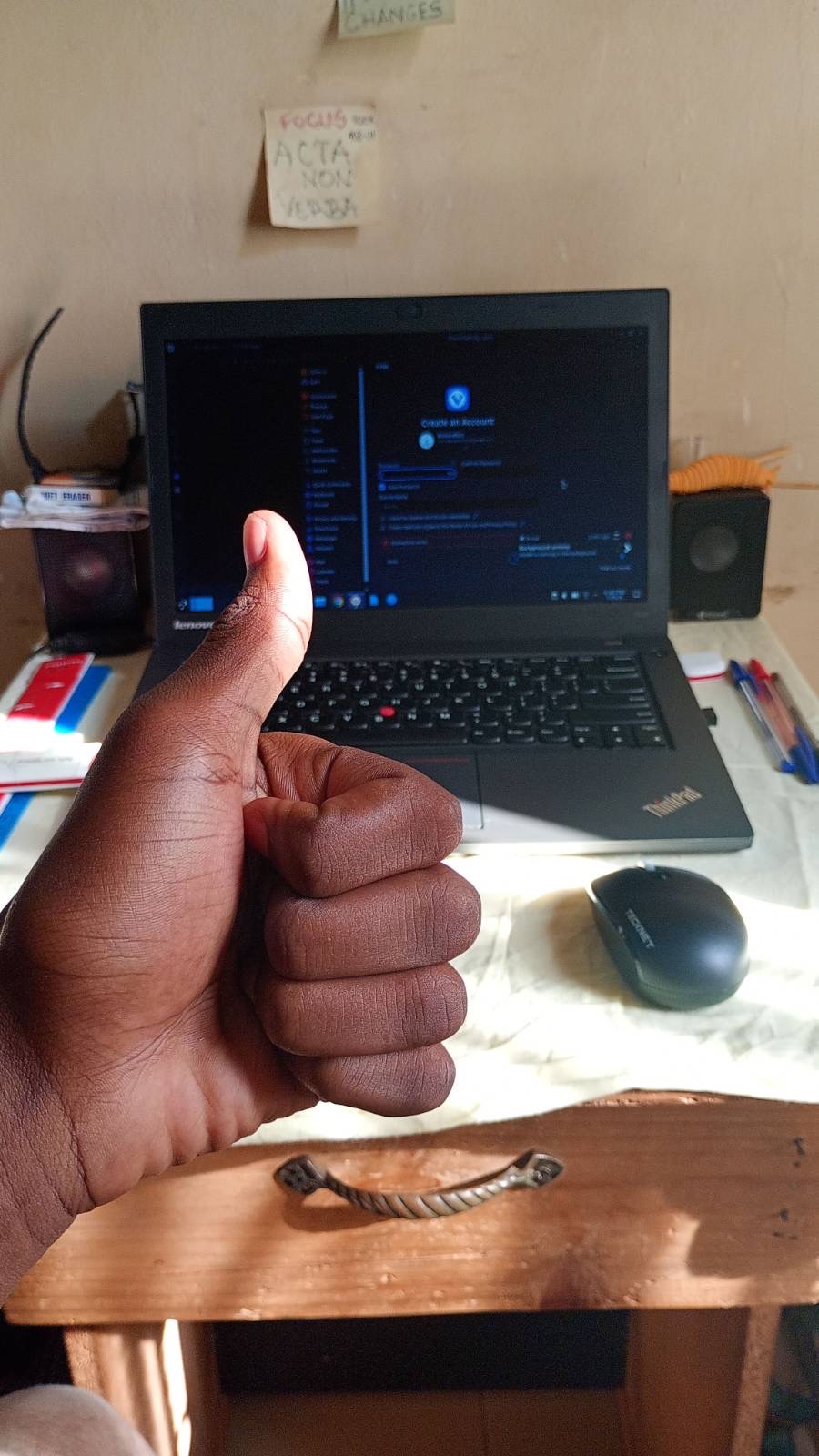
His experience after that was just fine, minimal troubleshooting, and working great for his graphic design workflow despite the laptop being only an i5; his raging with his old Lenovo Ideapad waned and he could get real work done.
Think, this is Debian, the distro that’s supposed to not be as beginner friendly right (pre-2025 vs 2026)? Yet I’m so happy that I picked it over Linux Mint, that way he could grow with it rather than being stuck with clunky GNOME.
Do you need the terminal?
While many believe (myself included) that the terminal/command line makes everything easier, most are used to the GUI. And that’s ok, Linux is very GUI-friendly! If you’re searching the web, downloading files, and looking through folders, any distro is going to be good for that. The only problems for non-tech savvy individuals is the set-up: partition drive or auto-partition, and terminal-only install, in which most have automatic install anyway. It’s only Arch and its Endeavor OS baby fork that is a must to use the terminal, but the commands are simple when simply typing archinstall.
However, there are other OS’s that are outside the norm of use (and aren’t forks) but still have niche uses.
Niche OS’s
- OpenSUSE - for devs
- Nix OS - has fallback options similar to snapshots in btrfs
- Alpine Linux - OpenRC rather than SystemD init system
Documentation abundant
All Linux distros have great documentation, particularly Arch. There’s also forums to get help on, and depending on the OS, there’s help in its GUI too.
- Arch
- Debian
- Garuda - the most user-friendly and very informative
- Linux Mint
- EndeavorOS
- Fedora
- Gentoo
Here are some basic questions that come up to set up on linux.
Firewall
Simple VS complex firewalls.
Arch
Simple firewalld
Complex nftables
Debian
Simple ufw
Complex nftables
Monitors
Yes, any distro supports multiple monitors! For my own desktop, the hardware keeps me from having 2 monitors (only 1 standard HDMI). While there are nifty commands to set it up for WMs like Hyprland, the DEs like KDE-Plasma and GNOME make the setup real simple with user-friendly settings.
Trackpoint
(ok that was a basic question for me) All drivers are already pre-built into Linux, meaning that any tablet, trackpoint, etc. was usable out-of-the-box, I’m serious! This made my experience so much easier.
Takeaway
Linux doesn’t have to be complicated, it can be easier to use than Windows when choosing the right distro for easy install and the right DE/WM for using the OS. As Linux has made leaps and bounds in the past few years alone to be user-friendly, even OS’s like Arch and Debian have become easier to install. Take it from me: I don’t plan to ever go back to Windows! While I did have to get a Windows 11 computer, now that Wine and WinApps makes Windows apps available to use in Linux, I have no need for Windows shenanigans- and I hope you don’t either.